RoomStream Digital Signage for Microsoft Teams Rooms & Zoom Rooms
Unlock your idle screens
Your meeting rooms sit empty 70% of the work day. Stop paying for “dark” screens and start broadcasting company news, dashboards, and culture updates directly to your Microsoft Teams Room (MTR) and Zoom Room infrastructure – no extra hardware required.
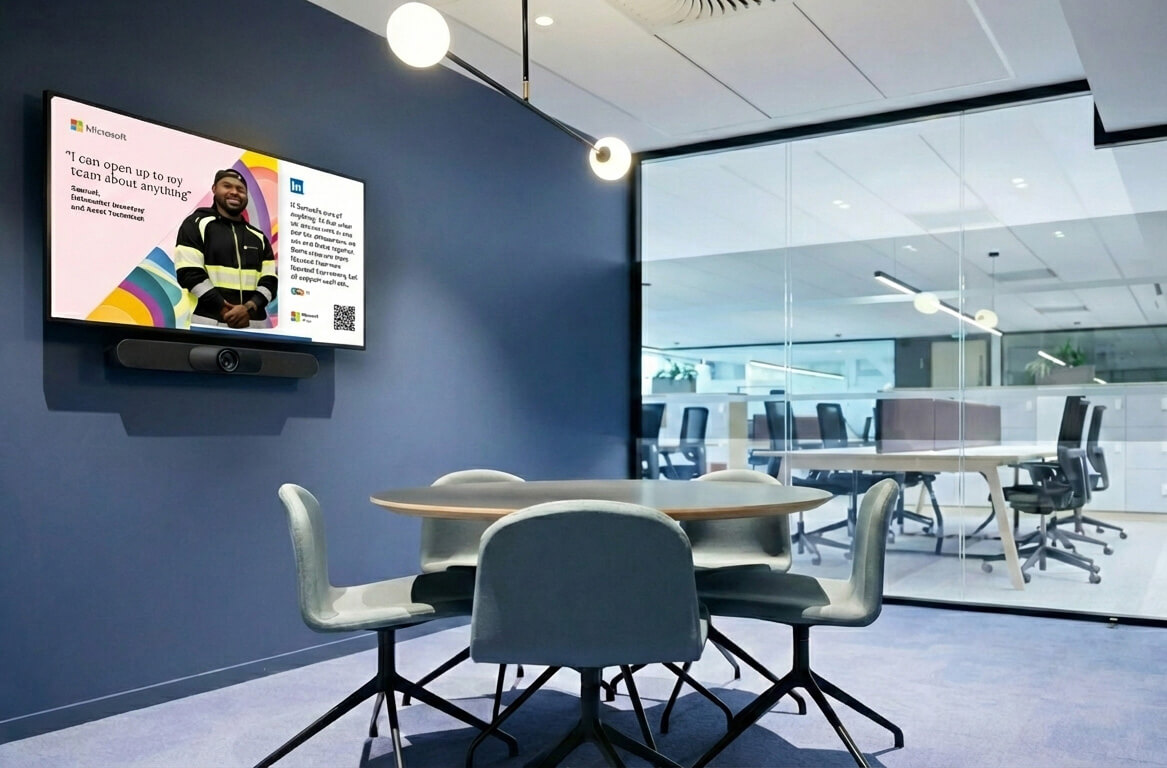
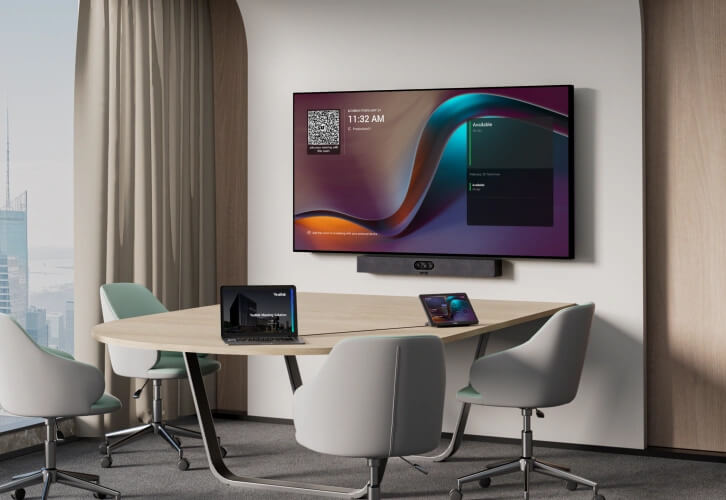
70% of your premium tech is wasted
According to workplace data from Density, the global average meeting room utilisation is only 30%. For the remaining 70%, your expensive Microsoft Teams Rooms (MTR) and Zoom Rooms screens sit idle, displaying a generic clock or a black screen.
You are paying for premium “billboard” space and premium licensing—only to leave it blank.
RoomStream changes the math. We turn your existing collaboration hardware into a high-impact internal communications channel the moment a meeting ends.
For IT, it’s maximising premium real estate. For Comms teams, it’s a bigger reach without the duplication.
RoomStream is your meeting room digital signage solution
- Zero extra hardware: Uses the MTR or Zoom Room compute you already own.
- No “App” bloat: Nothing to install on the device itself. No local maintenance or security updates.
- Remote deployment: Deploy to rooms across global offices in minutes, not days.
- Smart integration: Your content disappears the second a meeting starts and returns the second it ends. Total automation.
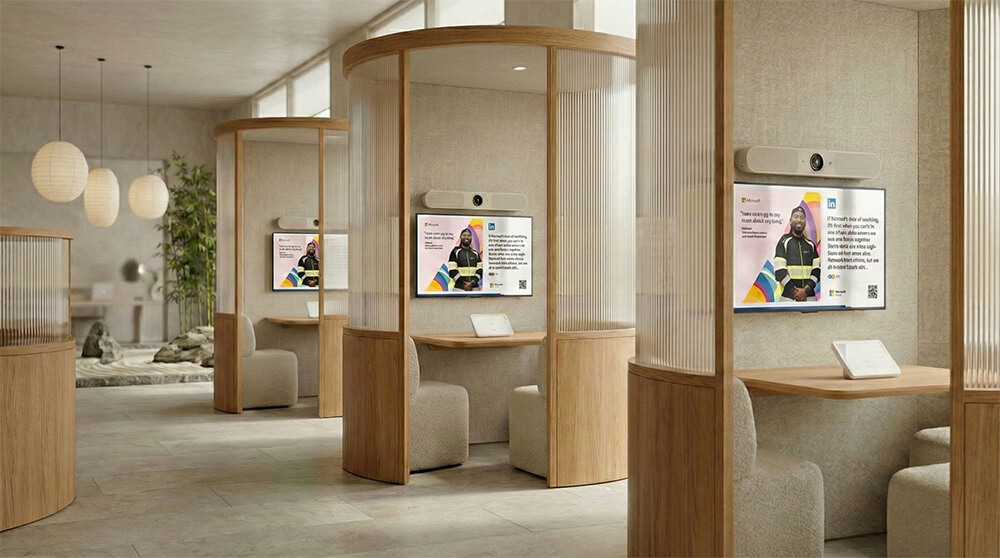
Seamless content for every screen
Manage your playlists and deploy full-screen, responsive content in minutes:
- Live Data: Display real-time Power BI dashboards in huddle spaces.
- Internal Comms: Share company news, employee chat channel posts, and event reminders.
- Social & News: Stream your Social Feeds or News feeds to keep teams engaged.
- Plus so much more: YouTube, Google Maps, TfL Tube Status and more
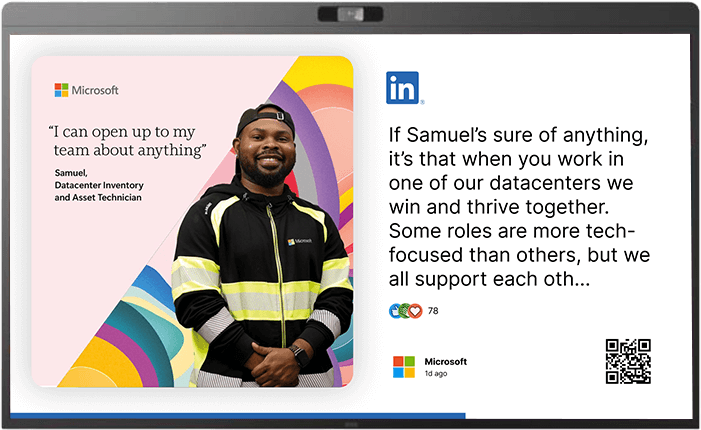

Microsoft Ecosystem Integration
Native integration with tools your organisation already uses:
Entra ID: SSO and user provisioning aligned with existing IT workflows.
SharePoint News sites: Content you’re already creating, pushed to screens automatically.
Teams Channel posts: Internal comms without duplication.
Power BI reports/dashboards: Real business data on idle screens.
Enterprise-Grade Security
doesn’t just promise security; it proves it through rigorous ISO 27001:2022 certification, Cyber Essentials accreditation, and an “A” rating from Qualys SSL labs. By leveraging the global resilience of Google Cloud Infrastructure with AES-256 data encryption and seamless SSO/SAML integration (Entra ID, Okta), ensures your account remains protected and your uptime stays at 99.9%. From enterprise-grade user provisioning to continuous vulnerability scanning, we provide the protection your brand demands without sacrificing the ease of use your team loves.




Frequently Asked Questions
Q: Do I need a separate media player?
A: No. Unlike traditional digital signage, RoomStream leverages your existing room system hardware to stream full-screen signage directly. No apps to install, no extra hardware.
Q: Will this interfere with my meetings?
A: Never. The digital signage and meeting room handling is done via the Microsoft Teams Rooms Pro Management Portal and Zoom Rooms Management portals, ensuring you have full control over when digital signage stops and starts around your meetings.
Q: How is RoomStream priced?
A: RoomStream is priced per connection, making it easy to scale from a single huddle space to an entire global enterprise. View our pricing page for details.
Q: Can I use Microsoft Teams Rooms for digital signage?
A: Yes. RoomStream turns your existing Microsoft Teams Rooms into digital signage displays without additional hardware. Content streams directly to your MTR screens when the room isn’t in a meeting, and automatically stops when a meeting begins.
Q: Does RoomStream work with Teams Rooms Pro?
A: Yes. RoomStream deploys via the Microsoft Teams Rooms Pro Management Portal, giving IT admins centralised control over digital signage alongside existing room management. No agents or apps are installed on the device itself.
Q: Can I display SharePoint content on Microsoft Teams Rooms screens?
A: Yes. RoomStream integrates natively with SharePoint News sites, allowing you to push existing internal communications to your Teams Rooms displays automatically – no content duplication required.
Q: Can I show Power BI dashboards on Microsoft Teams Rooms?
A: Yes. RoomStream supports live Power BI dashboards, letting you display real-time business data on idle Teams Rooms screens across your organisation.
Q: What happens to digital signage when a Teams meeting starts?
A: RoomStream automatically stops displaying content the moment a meeting begins and resumes when the meeting ends. This is managed via the Teams Rooms Pro Management Portal (digital signage settings) – no manual intervention needed.
Q: Can I use Zoom Rooms for digital signage?
A: Yes. RoomStream turns your existing Zoom Rooms into digital signage displays without additional hardware. Content streams directly to your Zoom Room screens when the room isn’t in a meeting, and automatically stops when a meeting begins.
Q: Does RoomStream work with Zoom Rooms management portal?
A: Yes. RoomStream deploys via the Zoom Rooms management portal, giving IT admins centralised control over digital signage alongside existing room management. No agents or apps are installed on the device itself.
Q: Can I display company news on Zoom Rooms screens?
A: Yes. RoomStream lets you push internal communications, company news, and employee updates to your Zoom Rooms displays – turning idle screens into an internal comms channel.
Q: Can I show Power BI dashboards on Zoom Rooms?
A: Yes. RoomStream supports live Power BI dashboards, letting you display real-time business data on idle Zoom Rooms screens across your organisation.
Q: What happens to digital signage when a Zoom meeting starts?
A: RoomStream automatically stops displaying content the moment a meeting begins and resumes when the meeting ends. This is managed via the Zoom Rooms management portal (digital signage settings) – no manual intervention needed.